![turfrad_logo_outlines (1)-1.svg]](https://support.turfrad.com/hubfs/turfrad_logo_outlines%20(1)-1.svg)
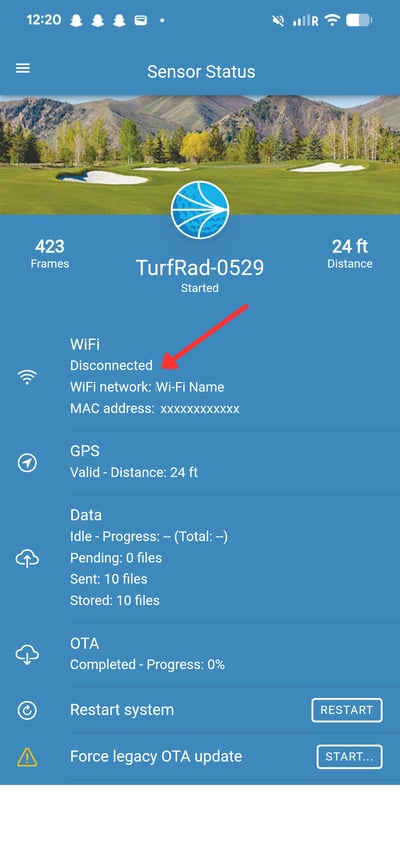
If you see “Wi-Fi: Disconnected” in the turfRad Mobile App, this does not necessarily mean your Wi-Fi is not working or that the sensor is not configured.
In most cases, it simply means the sensor is not actively using Wi-Fi at that moment.
What “Disconnected” Usually Means
turfRad only connects to Wi-Fi when it needs to upload scan data.
When the sensor is idle (not uploading), the Sensor Status page in the Mobile App may show Disconnected, even if the sensor is already configured to your Wi-Fi network.
What You’ll See During an Upload
When the sensor begins uploading, the Wi-Fi status will typically change:
-
Connecting = the sensor is attempting to connect to the network
-
Connected = the sensor is actively uploading data
During this process, the blue Function light on the sensor is blinking fast. Once the upload is complete, the status may return to Disconnected.