![turfrad_logo_outlines (1)-1.svg]](https://support.turfrad.com/hubfs/turfrad_logo_outlines%20(1)-1.svg)
If you see the upload radius overlaps your measurement areas, or if you begin to see many "no points allocated" files in your turfRad Portal Sensors tab, please follow the blow steps to set a custom upload radius:
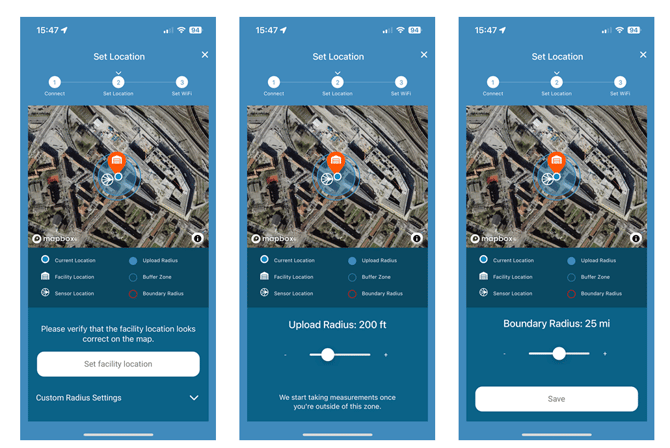
- In the map icon tab click the down arrow on Custom Radius Settings. Scroll down.
- Adjust the ”Upload Radius” slider until your measurement area is no longer covered by the blue shaded circle.
- Important: Use the ”Save” button on the bottom of the page to store your custom radius on the sensor (not the Set facility location button).