![turfrad_logo_outlines (1)-1.svg]](https://support.turfrad.com/hubfs/turfrad_logo_outlines%20(1)-1.svg)
Monitoring Uploads
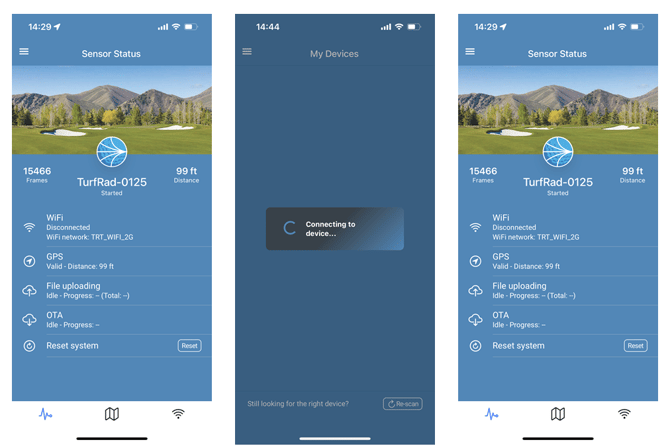
The Sensor Status tab in the turfRad mobile app can be used to monitor the status of active uploads and Over the Air (OTA) firmware checks and updates.
-
The sensor connects to WiFi upon returning to the upload radius, and uploads pending files. The sensor then connects again (fast blink) to check for OTA updates.
- Once the sensor is configured, Bluetooth connection is only available if the sensor is in the ”upload radius”. If you cannot connect via Bluetooth after configuring, try disconnecting the GPS antenna, reconnecting with Bluetooth, and increasing the upload radius.
- In case turfRad releases OTA firmware updates, the firmware download progress can be monitored in the OTA section of the Sensor Status tab.